We frequently get asked which one is better: WordPress (Divi) vs. Webflow?
In a recent article, our CEO outlined the core trade-offs between these platforms, framing the debate not as which is better, but which is right for your specific goals.
Building on that foundation, let’s dive into a detailed comparison which will make the choice easier for you.
This comes from our experience (over a decade) building and managing high-performing websites in various sectors (green energy, biotech, and education).
Our journey from a pure WordPress agency to a partner adept in both WordPress/Divi and Webflow gives us a unique and unbiased perspective.
Comparison table: Divi vs. Webflow
Before we dive deep, let’s have an overview comparison of how Divi (on WordPress) vs Webflow stack up across key decision-making criteria.
| Feature | Divi (WordPress) | Webflow |
|---|---|---|
| Design & Capacity | Tremendous freedom for professional, content-focused sites. Truly bespoke designs require custom code. | Unparalleled for complex, pixel-perfect, and visually innovative design with clean, native code. |
| Client Experience | Empowers clients to edit and create new pages independently via an intuitive visual builder. | Excellent for editing text/images within a fixed structure. Clients cannot alter layouts without developer help. |
| Performance & Speed | Requires expert optimization (caching, CDN, premium hosting) to achieve top speed from a default slow start. | Fast out-of-the-box with clean code, built-in optimization, and global CDN. Low ongoing optimization needed. |
| Pricing Model | Low-entry, long-term value, optional plugins. Lower long-term cost but requires maintenance. | Higher recurring costs for the platform, hosting, and most third-party extensions. |
| Extensions & Ecosystem | Unparalleled universe of plugins for any feature at low, often one-time costs. Requires compatibility management. | Smaller, curated library of high-quality, integrated tools. Heavily favors expensive subscription pricing. |
| Reliability & Stability | Can experience conflicts from many plugins/themes. Stability requires proactive maintenance and updates. | Predictable reliability from a unified, closed system. Fewer unexpected glitches from component conflicts. |
| Security | Larger attack platform. Secure with rigorous, ongoing updates and maintenance. | Reduced burden, with security patches, SSL, and protection handled automatically by Webflow. |
| Independence & Ownership | You own the code and data, host anywhere, and are never locked into a vendor. | Closed ecosystem with vendor lock-in. Code exports are limited static snapshots; full functionality is tied to the platform. |
Now that we have the comparison of both platforms, let’s get into details starting with the platforms’ explanation.
Divi vs. Webflow?
What’s Divi?
Divi is a visual page builder and theme framework built on WordPress, developed by Elegant Themes. It allows users to design custom websites using an intuitive front-end drag-and-drop interface.
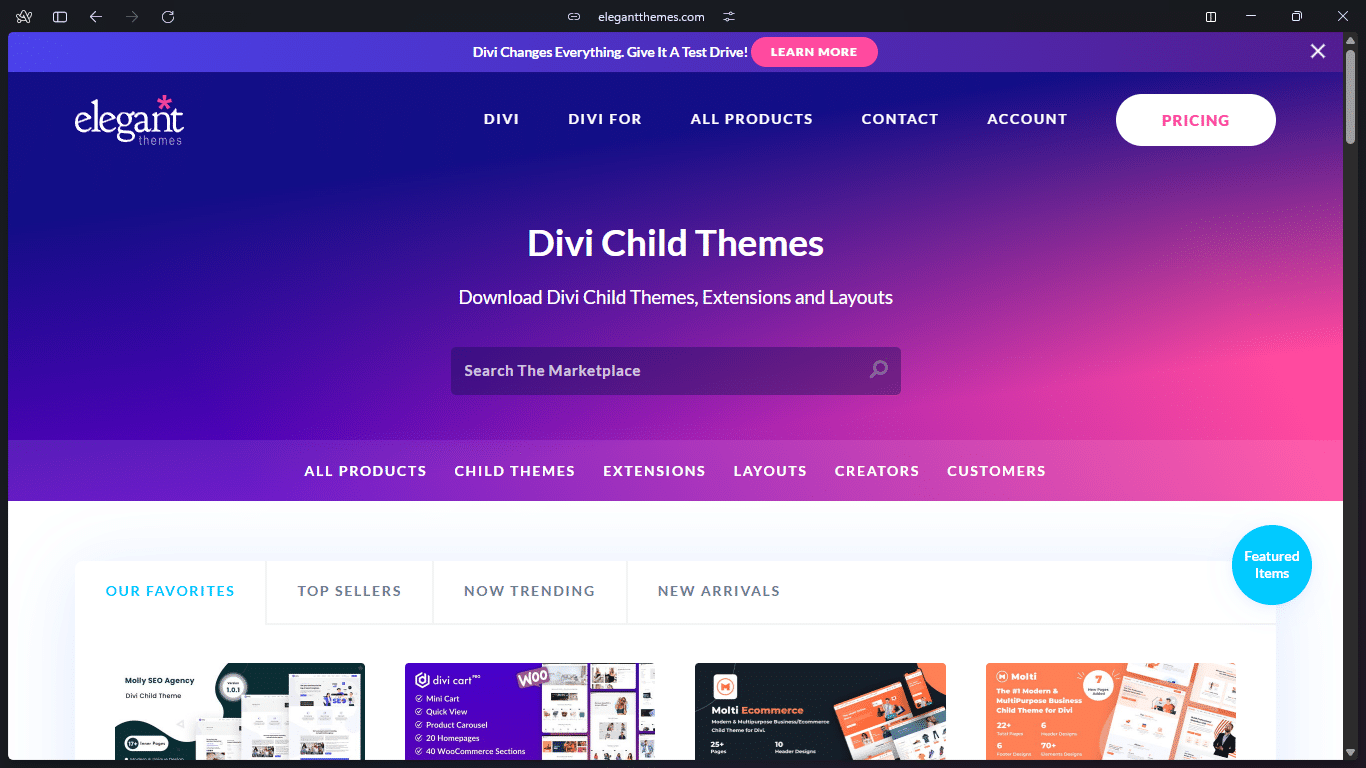
It provides extensive design control through hundreds of modules and settings, all while operating within the vast, open-source WordPress ecosystem, holding a record of over 800,000 active installations making it one of the most popular commercial WordPress page builder tools.
Its unique selling point is empowering website owners and marketing teams to actively create and edit content with minimal ongoing developer support.
What’s Webflow?
Webflow is a visual web development platform that allows designers to build professional, custom websites with code-level control without writing code. This helps bridge the gap between visual design freedom and professional development output fast.

Webflow’s unique selling point is customizing complex websites visually while generating clean semantic code, production-ready, while providing an all-in-one platform for hosting, CMS, and team collaboration
While it powers millions of sites, it holds a smaller share of the CMS market.
According to W3Techs, a leading web technology survey provider as of January 2026, Webflow is used by 0.9% of all websites while it holds a market share of 1.2% among websites that use known content management systems.
This highlights its niche as a premium tool for design-focused projects.
Divi vs. Webflow Design Philosophy & Capacity:
This is where the core identity of each platform shines. We prioritize designs that communicate innovation and trust, and each tool offers a distinct path in achieving that.
Divi (on WordPress) design philosophy & capacity:
Divi provides tremendous design freedom within the WordPress ecosystem. Its visual builder and vast module library allow creation of highly custom, professional websites that excel in clarity and content presentation. For most corporate, educational, or service-based sites, it’s more than capable.
However, achieving intricate, performance-optimized animations or truly bespoke layouts often requires code or additional plugins. This added complexity is the trade-off for its flexibility within WordPress.
Webflow design philosophy & capacity:
Webflow is unparalleled for pixel-perfect, complex, and visually innovative design. It functions as a visual front-end development tool, allowing designers to create custom animations, micro-interactions, and unique layouts while generating clean, efficient code natively.
For projects where creativity, visually-driven design is a primary competitive advantage, Webflow is the superior choice, as it avoids the performance debt common in visual WordPress builders.
Divi vs. Webflow Client Experience:
A beautiful website is a burden, if it becomes a bottleneck for your team. We build sites for our clients to use, not just admire.
Divi Client Experience:
Divi’s superpower is empowering your team. Its front-end visual builder is intuitive; with simple guidance, our clients can easily copy entire sections and modules to create new, on-brand pages independently.
Divi’s superpower is empowering your team. Its front-end visual builder is intuitive; with simple guidance, our clients can easily copy entire sections and modules to create new, on-brand pages independently.
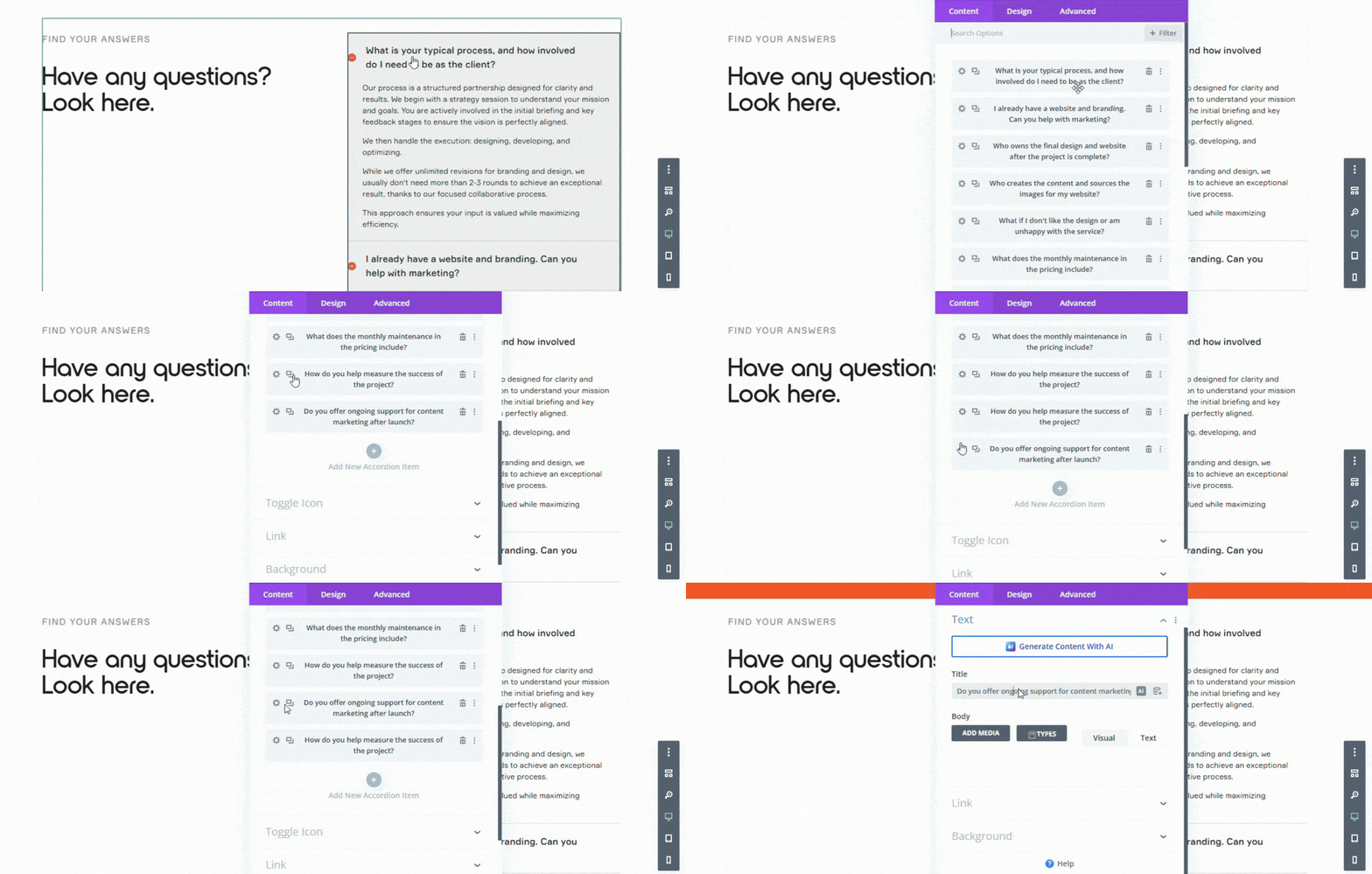
This democratization of content creation is invaluable for businesses that need to publish and update content regularly without constant developer intervention.
Webflow Client Experience:
Webflow’s editor mode is excellent for updating text, images, and managing blog posts within a predefined, secure structure.
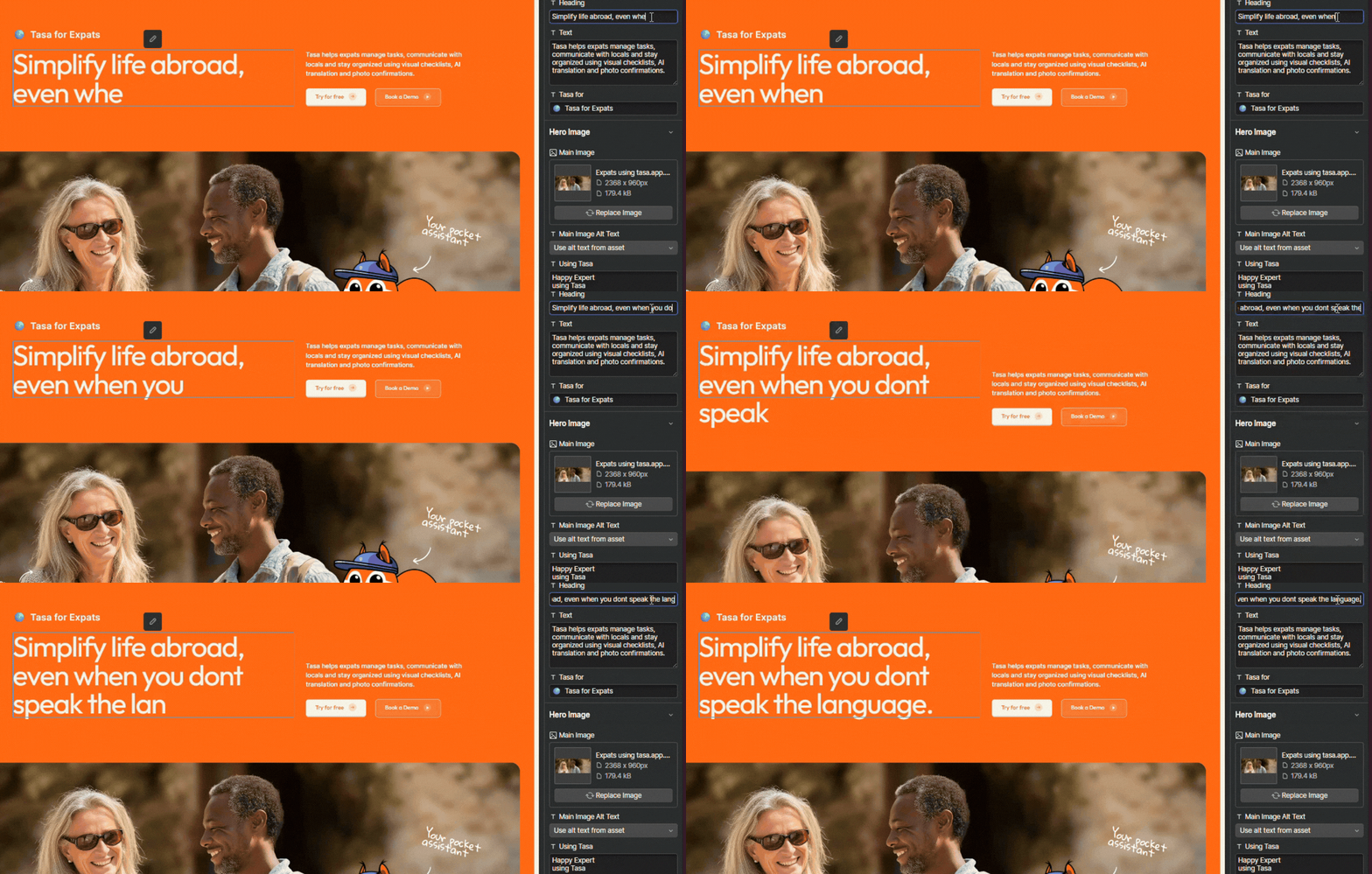
However, it is fundamentally a content editor, not a structure editor. Giving clients the ability to edit layouts or add new components without developer help is challenging and risks breaking the site’s design integrity, often leading to a dependency on your agency.
Divi vs Webflow Performance & Speed
Website speed is non-negotiable for SEO and user trust. The platforms have different starting points and optimization paths.
Divi Performance & Speed
Divi on WordPress requires a proactive approach to performance. A default setup can be slow, but it can be optimized to be blazing fast.
This requires expert implementation: caching, image compression, script optimization, and premium hosting.
For our clients with the highest needs, we use Logotio Rocket, a Cloudflare enterprise-powered infrastructure which turns out to be faster and more sustainable than our previous reliable hosting company.
Webflow Performance & Speed
Webflow websites are fast out of the box. The platform enforces clean code, image optimization, and global CDN hosting.
For design-heavy sites, this guaranteed high-performance baseline is a massive advantage, requiring less ongoing technical optimization to maintain excellent page speed scores.
Divi vs. Webflow Pricing Models
Understanding the fundamental cost structure of each platform is crucial for budgeting. Divi and Webflow follow two distinctly different pricing approaches.
Divi Pricing
Divi on WordPress follows a low-entry, long-term value model. The WordPress software is free, and the Divi builder itself can be licensed for a one-time fee.
The enormous ecosystem of plugins allows you to add advanced functionality quickly and often at a low, one-off cost.
This means a client can launch a powerful site faster and for a lower initial price. Long-term costs remain low if you handle maintenance yourself, though most professional users opt for a maintenance package for peace of mind.
Webflow Pricing
Webflow operates on a Software as a Service (SaaS) subscription model, leading to higher long-term costs.
Everything is a recurring line item: the agency workspace, site hosting plan, connecting a custom domain, and advanced features like CMS items or e-commerce.
As mentioned previously, clients often can’t make meaningful edits on their own, locking them into a cycle of needing (and paying for) developer support. This dependency adds significantly to the long-run expense.
We design and build websites using the right platform for your business. Our focus is on clarity, trust, and getting more visitors to take action. Let’s talk about how to make your brand more profitable.
Divi vs Webflow Extensions & Ecosystem
The ability to add functionality defines how your website can be scalable.
Divi Extensions & Ecosystem
WordPress (with Divi) offers an unparalleled universe of plugins (both free and paid). You can find a plugin for nearly any functionality, from SEO (like Rank Math) and security (like Wordfence) to complex e-commerce (WooCommerce) and learning management systems.
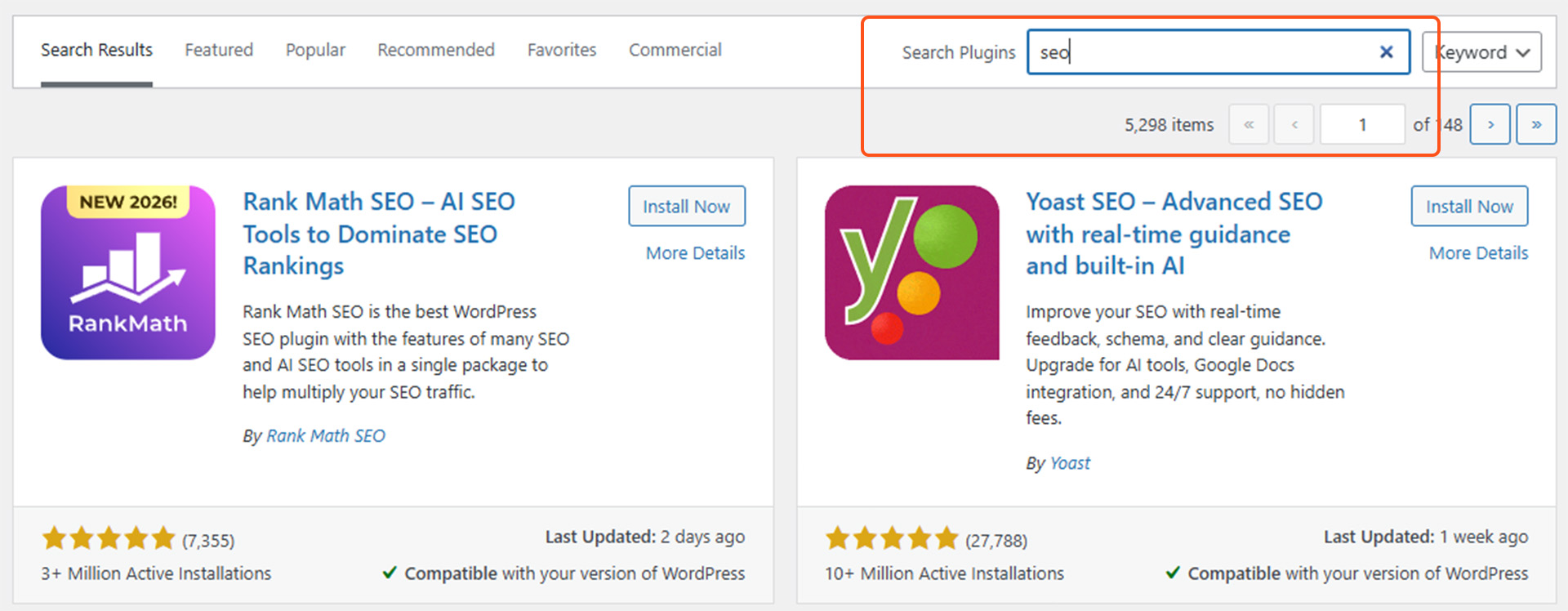
Many of which come with one-time purchase options or annual renewals for updates and support. This vast library allows for rapid, cost-effective website feature expansion letting you achieve your business goals.
This freedom comes with responsibility. You become the systems integrator, managing compatibility between Divi, WordPress core, and other installed plugins. Performance and security depend on your vigilance in updates and the quality of your chosen components.
Webflow Extensions & Ecosystem
Webflow’s native extension library is much smaller and more focused than WordPress’s vast ecosystem. While it continues to grow with high-quality, well-integrated tools for features like member areas (Memberstack), enhanced forms (Formspark), and multilingual solutions (Weglot), its third-party tools heavily favor a subscription pricing model.

This turns what might be a one-time project cost on WordPress into a recurring operational expense. A prime example is multi-language functionality:
- For WordPress, the market-leading WPML plugin costs about 99 EUR per year for unlimited languages and continues to function even if the license expires.
- For Webflow, we use Weglot which provides an excellent translation experience but carries a hefty ~790 EUR annual price tag for just five languages.
While Webflow’s extensions are often of higher quality and better integrated, their significantly higher recurring costs add up quickly as you scale your site’s functionality.
Divi vs. Webflow Reliability & Stability
This is about the predictable, day-to-day operation of your live website without unexpected downtime or functionality breaks.
Divi Reliability & Stability
The flexibility of WordPress and Divi comes with a trade-off.
A complex site with many plugins and theme updates has more potential points for conflict, where an issue can appear “out of nowhere.”
Consistent maintenance is key to ensure stability.
This environment requires a proactive stance: regular updates of plugins, ensuring compatibility and the use of plugins from reputable developers.
The recent launch of Divi 5, a complete rebuild from the ground up, promises to address these historical pain points by introducing a modern, more efficient codebase designed specifically for better performance and stability with third-party tools.
Webflow Reliability & Stability
Webflow offers more predictable reliability because it operates as a unified, closed system.
The visual designer, CMS, hosting, and security are all developed and maintained by one provider. When Webflow rolls out an update, it is tested for compatibility across its entire platform.
You won’t encounter a scenario where a hosting update breaks your page builder or a new CMS feature disables your forms. Fewer unexpected glitches often caused by third-party component conflicts.
Divi vs. Webflow Security
Both platforms are secure when managed properly, but their risk profiles differ.
Divi security
Securing a WordPress (Divi) website is an active, ongoing process. Its vast ecosystem is its greatest strength and its primary security consideration.
A powerful WordPress/Divi site with 20+ plugins, each representing a potential vector for attack.
The more complex your site gets, the more it might “glitch” and an issue might occur out of nowhere. Its vast market share also makes it a bigger target.
The key to security is ongoing maintenance, updates and a reliable website hosting provider. With this discipline, major incidents are rare.
Webflow Security
Webflow provides security through its controlled, integrated environment, significantly reducing the operational burden on you.
As a closed SaaS platform, there are no third-party plugins to install in the traditional sense. You cannot add unvetted code that introduces a critical vulnerability. The system’s smaller market share also makes it a less frequent target for broad, automated attacks.
Webflow’s team of security professionals manages the entire stack. Security patches, DDoS protection, and SSL certificates are applied automatically and globally.
The platform is built on a secure, modern infrastructure (leveraging Amazon Web Services) and maintains compliance certifications (like SOC 2)
Divi vs webflow Independence & Ownership
This defines your website long-term control and flexibility.
Divi Independence & Ownership
With WordPress and Divi, you have full ownership and control. You own all your code, content, and data outright. This means you can host your site on any server, with any provider, and migrate it at any time.
You are free to change developers, agencies, or hosting plans without platform restrictions.
Webflow Independence & Ownership
Webflow operates as a closed, proprietary ecosystem. While it offers a code export function, the result is primarily a static HTML/CSS snapshot. This export does not include the core visual designer, the CMS backend, or dynamic interactions built on Webflow’s logic.
Consequently, if you ever need to leave the platform, you face a significant, complex migration. Your site’s full functionality is intrinsically tied to Webflow’s platform, creating a fundamental long-term dependency.
Divi and Webflow Pros & Cons
This pros and cons would help with a detailed overview of both platforms
Divi Pros:
- Offers tremendous design freedom within WordPress for creating highly custom, professional sites.
- Empowers clients to edit content and create new pages independently with an intuitive visual builder.
- Follows a low-entry, long-term value model with one-time fees and affordable plugin options.
- Provides access to an unparalleled universe of plugins for virtually any functionality.
- Grants complete ownership, portability, and freedom from vendor lock-in.
- Is secure and reliable with a proven track record when actively maintained.
Divi cons:
- Achieving intricate, performance-optimized designs often requires custom code, adding complexity.
- Requires proactive, expert optimization and premium hosting to achieve top-tier speed.
- Demands consistent maintenance and updates to ensure stability and security.
- Its vast plugin ecosystem requires careful management to avoid conflicts and bloat.
Webflow Pros:
- Unparalleled for pixel-perfect, visually innovative design and complex animations with clean, efficient code.
- Delivers excellent out-of-the-box speed and performance with minimal ongoing optimization.
- Offers predictable reliability as a unified, closed system with fewer unexpected glitches.
- Features high-quality, well-integrated extensions that work seamlessly with the platform.
- Provides managed, enterprise-grade security, significantly reducing the operational burden.
- Unifies the entire design-to-development workflow in a single, cohesive visual tool.
Webflow Cons:
- Offers limited content editing freedom for clients, risking design integrity and creating agency dependency.
- Operates on a SaaS model with higher recurring costs that accumulate with added features.
- Has a much smaller, subscription-heavy ecosystem, making advanced functionality expensive.
- Creates fundamental vendor lock-in, with limited portability and a complex migration path.
- Being a closed system, it offers less flexibility for highly unconventional or niche features.
Case studies: Divi (WordPress) and Webflow in practice
For practical examples from our previous partnership, explore the case studies below:
Theory is one thing, but results are everything.
Below are real examples from our previous partnerships of how we match tools to various business strategic goals.
logotio.agency
Platform: Divi on WordPress
For our own agency site, complete ownership, ease of ongoing updates, and cost-effectiveness were paramount.
greentech.energy
Platform: Divi on WordPress
We transformed Greentech’s vision into market velocity by crafting a bold brand identity and integrating a marketing system to support their goals, creating value for our planet. View the case study.
Tasa
Platform: Webflow
Tasa is a picture-based task management app for multilingual and frontline teams. It is also our live R&D lab. View the Tasa website.
To Top
Platform: Webflow
We launched To Top as a market leader, helping them skip years of startup struggles. View the case study.
Final analysis:
As you can see it depends on your priority
Choose Divi on WordPress if:
Your priority is a cost-effective, extendable platform that empowers your team to create and edit content long-term.
It’s ideal for businesses that value independence, have evolving feature needs, and possess the willingness for (or access to) ongoing maintenance.
Choose Webflow if:
Your priority is a visually groundbreaking, high-performance website with a predictable, managed environment.
It’s ideal for projects where design innovation is the primary competitive advantage and where the content structure is more defined, accepting that major changes may require developer support.
Want the executive take?
Read our CEO’s foundational article on LinkedIn for the high-level view that inspired this deep dive.
How logotio.agency partners with you
At logotio.agency, we utilize the best tools for achieving your brand goals with alarming updates. Building sales-driven digital foundations. Whether you choose the expansive ecosystem of WordPress or the design-centric power of Webflow.
Our process is rooted in strategy, measurable results, and a true partnership. Helped clients in biotech, renewable energy, and education beyond website launch, but to generate leads that give your investment a predictable return.
Your next step is not to pick a tool, but to define your need. Let’s have a conversation about your mission, your team, and your growth trajectory.
Divi vs Webflow FAQs
How do you decide which platform (WordPress or Webflow) to recommend to clients?
From there, we identify the platform that will best serve your long-term growth.
Both platforms offer a strong return on investment; we simply determine which is the optimal engine for your specific needs.
What type of brand do you work with?
This focus allows us to deliver exceptional results, high ROI, and design awards.
By deeply understanding your niche, we replicate and adapt proven strategies to position your brand as a market leader.
This specialization means your website will be engineered to generate high-quality leads and command higher margins from day one.
What happens after website launch?
Most clients opt for our maintenance package to ensure everything runs smoothly.
More importantly, we pivot to performance. If we are to handle your marketing campaigns, we fill your pipeline with high-quality leads and keep your digital presence powerful and consistent.
This is essential to maximize your return on investment.
What does working with logotio.agency look like?
We begin with a discovery call, then move into branding (with unlimited revisions, though we typically nail it in 2–3).
Next, we build and launch your high-converting website.
Post-launch, we become an extension of your team, employing marketing strategies to generate leads so your team can focus on closing them.
A key result? Our clients report that when their potential customers are deciding between providers, the supreme professionalism we build into their digital presence consistently makes them the chosen one.